A GitHub security key is not just a stronger login method. If your GitHub account controls client repositories, deployment workflows, private code, or package releases, it is part of your business recovery plan.
For most GitHub users, the safest starting point is simple: buy two compatible FIDO2/WebAuthn security keys, enroll both, save recovery codes, and keep one key as a backup. Choose a more advanced key only if you need extra protocols beyond GitHub sign-in.
Buying Criteria
What matters before you buy
For GitHub MFA, confirm that the exact listing supports FIDO2/WebAuthn or U2F, matches the ports on your laptop, and supports NFC if you want phone sign-in. Buy at least two keys so one can stay enrolled as a backup.
Choose a multi-protocol key only if you need extra workflows such as PIV, OpenPGP, OATH/TOTP, or Yubico OTP. For a basic GitHub backup plan, a simpler FIDO-focused key is usually easier to manage.
Quick comparison
Best security keys for GitHub at a glance
| Product | Pick | Best for | Connector | NFC | Protocol fit | Buy |
|---|---|---|---|---|---|---|
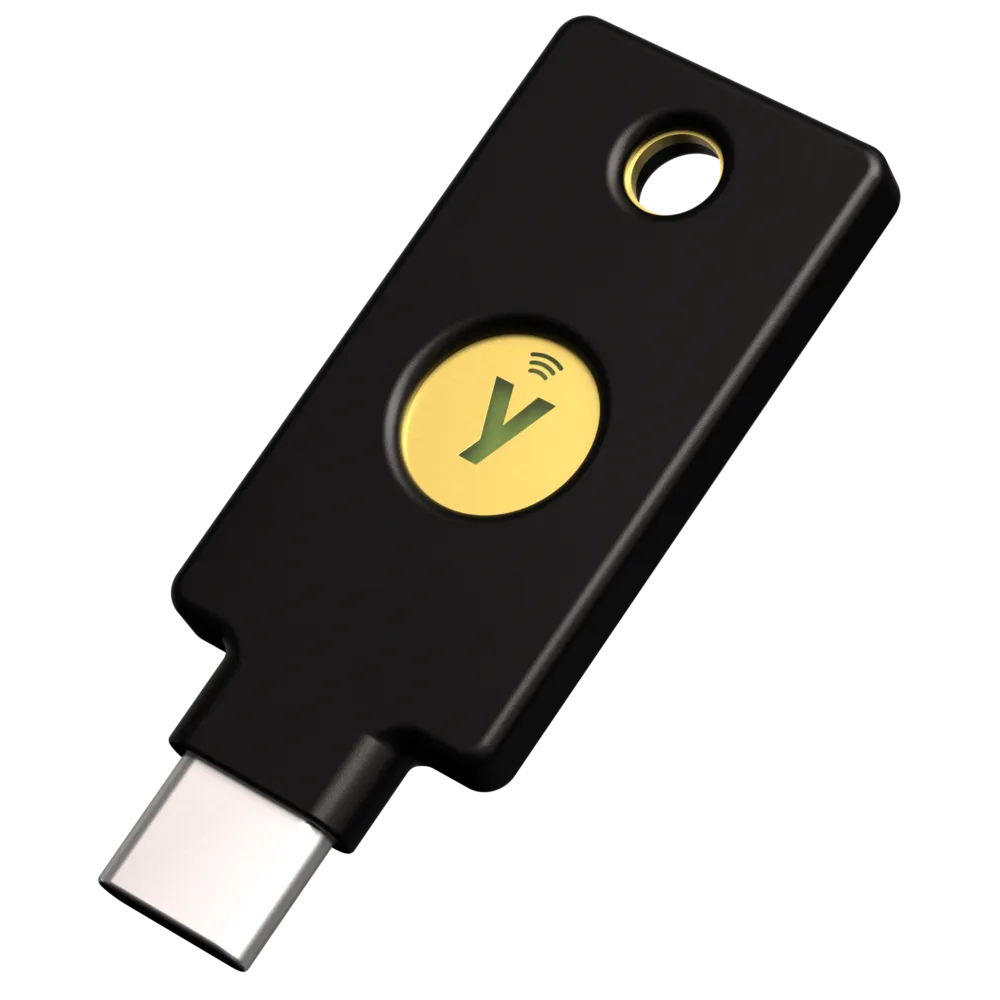 | Yubico Security Key C NFC | Most GitHub users | USB-C | Yes | FIDO/WebAuthn only | Check Amazon |
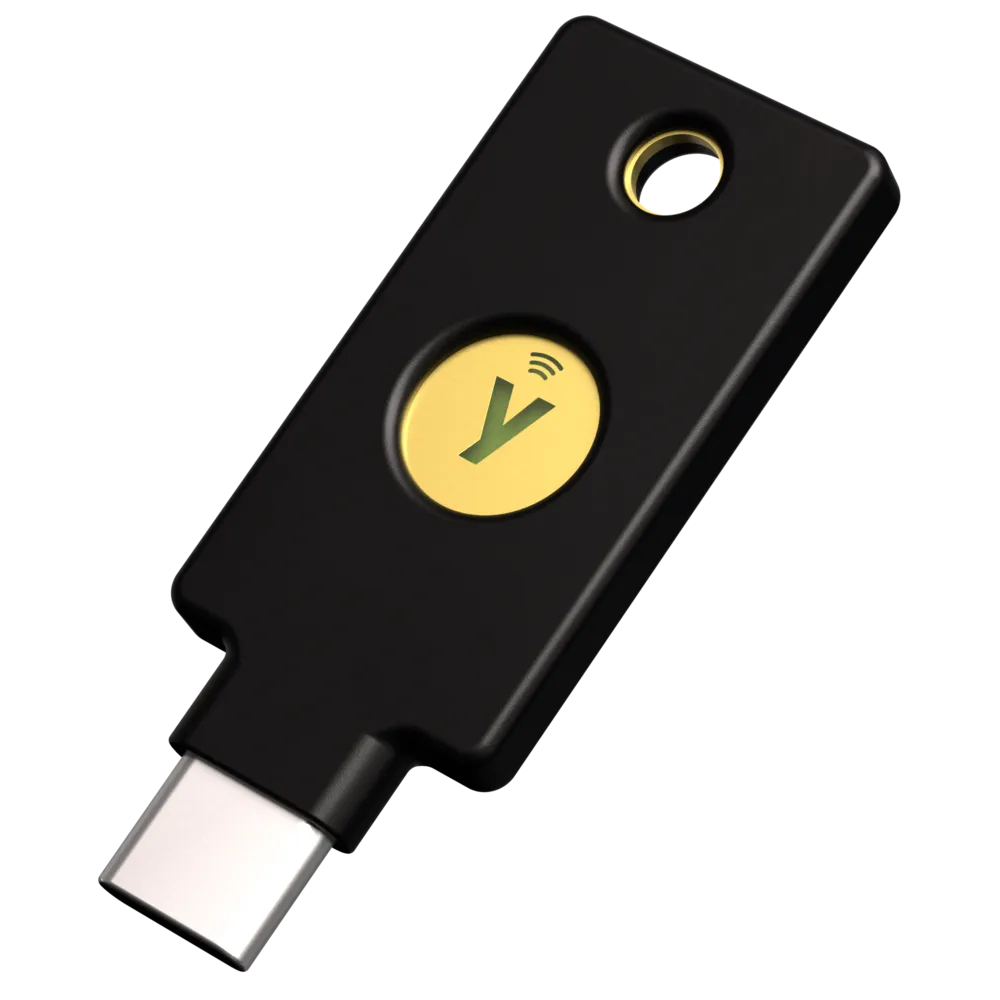 | YubiKey 5C NFC | Advanced developers | USB-C | Yes | FIDO plus PIV/OpenPGP/OATH | Check Amazon |
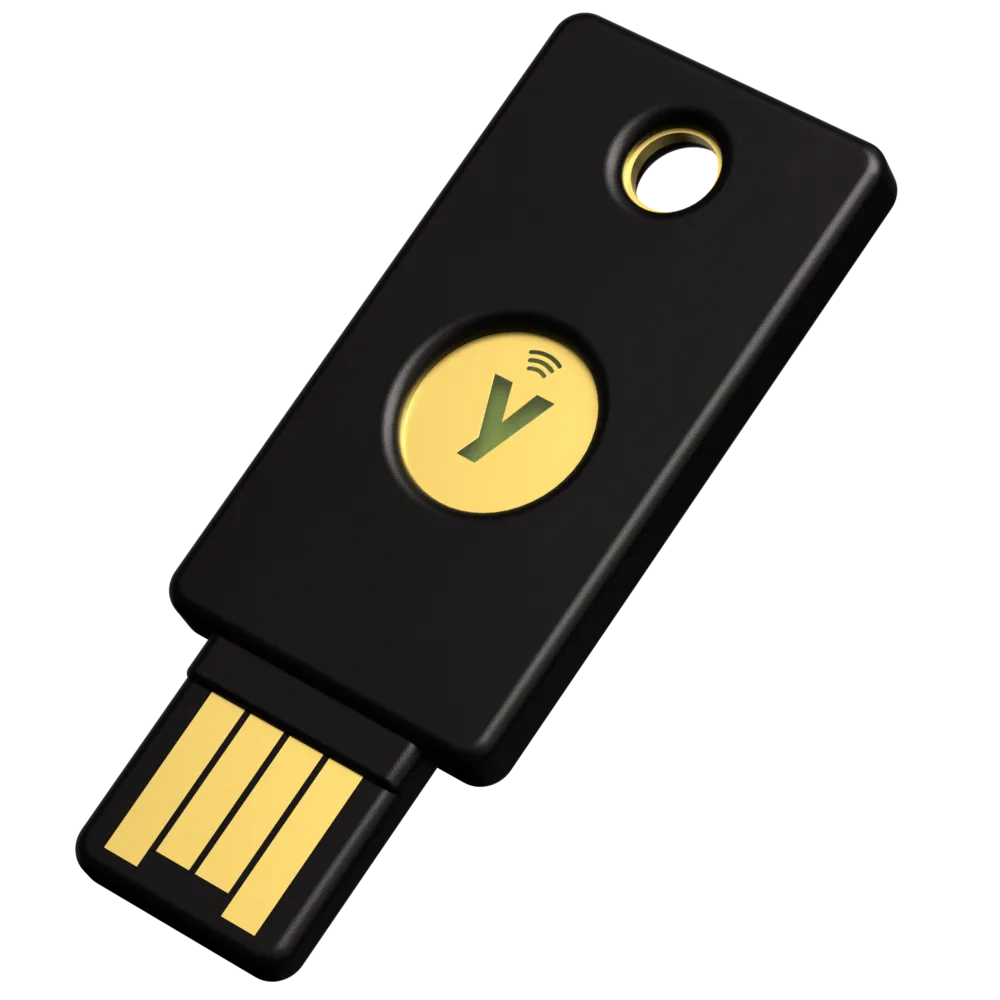 | Yubico Security Key NFC | USB-A laptops or backup key | USB-A | Yes | FIDO/WebAuthn only | Check Amazon |
 | Thetis Pro-C FIDO2 Security Key | Budget USB-C alternative | USB-C | Yes | FIDO plus TOTP/HOTP | Check Amazon |
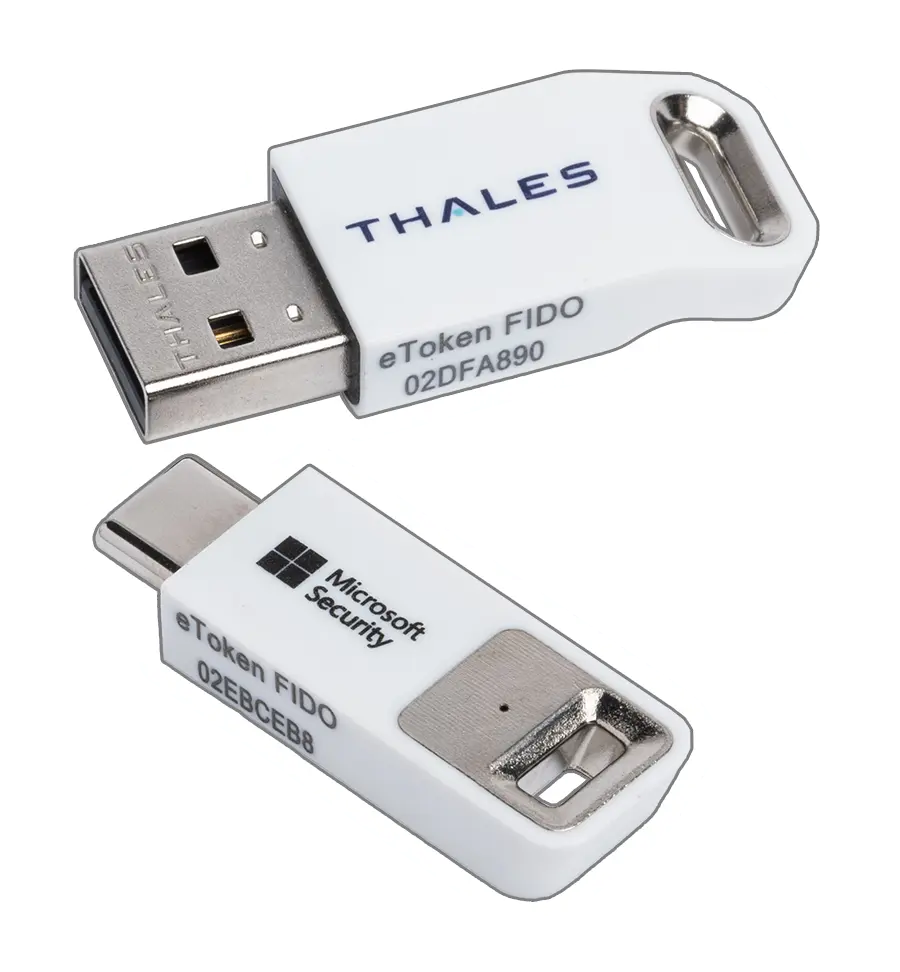 | Thales SafeNet eToken FIDO USB-C | Enterprise-style alternative | USB-C | No clear NFC claim on Amazon listing reviewed | FIDO2/U2F | Check Amazon |
Amazon buttons point to specific product pages when available. Verify the exact model, connector, seller, and package contents before buying.
What GitHub actually needs from a security key
GitHub supports several two-factor options, but its own account-security guidance says a WebAuthn credential is the most secure option because WebAuthn is more resistant to phishing than codes that can be typed into fake login pages. GitHub also recommends downloading recovery codes and setting up more than one 2FA credential so access does not depend on one device.
In practical terms, a GitHub-focused security key should support FIDO2/WebAuthn, work with the devices you actually use, and fit into a backup plan. Most readers should care more about buying and enrolling two reliable keys than chasing advanced features they will never use.
Plain-English protocol guide
Security-key product pages often list protocol names that sound more important than they are for a normal GitHub MFA setup. Here is what they mean before you decide whether a basic key is enough.
- FIDO2 / WebAuthn
- The modern browser-based login standard GitHub can use for phishing-resistant two-factor authentication and passkeys.
- U2F
- The older FIDO security-key standard. It still matters for compatibility with some services.
- PIV
- Smart-card style authentication used in some enterprise, certificate, VPN, and workstation-login environments.
- OpenPGP
- A way to use the key for signing or decrypting with PGP keys. Useful for some developer workflows, but not required for GitHub MFA.
- OATH
- One-time password storage for authenticator-style codes. This is different from GitHub WebAuthn security-key login.
- Yubico OTP
- A Yubico-specific one-time password feature used by some older or specialized systems. Most GitHub users do not need it.
Pick 1
Yubico Security Key C NFC
Most GitHub users who want a simple FIDO security key
A focused USB-C and NFC key for WebAuthn/FIDO2 account protection without the extra smart-card and OpenPGP features of the YubiKey 5 series.
Amazon listing to look for: Yubico - Security Key C NFC
Good fit when
- Simple choice for GitHub MFA
- USB-C plus NFC works for many laptop and phone setups
- Less complex than multi-protocol keys
Limitations
- Not the right pick if you need PIV, OpenPGP, OATH, or Yubico OTP
- You still need a second key or another recovery method
Pick 2
YubiKey 5C NFC
Developers who need more than basic GitHub MFA
A multi-protocol USB-C and NFC key for users who want FIDO2/WebAuthn plus advanced options such as PIV, OpenPGP, OATH, and Yubico OTP.
Amazon listing to look for: Yubico - YubiKey 5C NFC
Good fit when
- Better fit for advanced developer workflows
- Broad protocol support beyond GitHub login
- Useful if one key will cover multiple account-security jobs
Limitations
- More expensive and more complex than a FIDO-only key
- Overkill if you only need GitHub WebAuthn MFA
Pick 3
Yubico Security Key NFC
USB-A laptops and backup-key setups
A simple FIDO-only USB-A and NFC key for GitHub users who still use USB-A ports or want a cheaper backup key alongside a USB-C daily key.
Amazon listing to look for: Yubico - Security Key NFC
Good fit when
- Useful if your main laptop still has USB-A
- Simple backup key option for a two-key setup
- FIDO-only design keeps the decision simple
Limitations
- Not the right connector for USB-C-only laptops unless you use an adapter
- Does not add PIV, OpenPGP, OATH, or Yubico OTP
Pick 4
Thetis Pro-C FIDO2 Security Key
Lower-cost USB-C and NFC alternative
A USB-C and NFC FIDO2 key with TOTP/HOTP support for readers who want another Amazon-available option beyond Yubico.
Amazon listing to look for: Thetis Pro-C FIDO2 Security Key
Good fit when
- Lower-cost Amazon-available option to compare against Yubico
- Supports FIDO2/U2F for GitHub-style WebAuthn MFA
- TOTP/HOTP support may appeal if you want more than FIDO-only
Limitations
- Less established in developer-security-key discussions than Yubico
- Check current reviews, seller, and return terms before buying
- TOTP/HOTP features add complexity if you only need GitHub MFA
Pick 5
Thales SafeNet eToken FIDO USB-C
Enterprise-style FIDO2 USB-C alternative
A compact USB-C FIDO2 key from Thales, better framed as an enterprise-style alternative than the default pick for a solo GitHub user.
Amazon listing to look for: Thales - SafeNet eToken FIDO - USB-C
Good fit when
- Established enterprise security vendor
- FIDO2/U2F-certified product line
- Useful if you prefer enterprise-style authenticators
Limitations
- Fewer consumer signals than mainstream Yubico picks
- No NFC claim found in the Amazon listing reviewed
- Probably overkill if you only need a simple GitHub backup key
Buyer's guide: what to check before buying
Buy two keys, not one
A single hardware key can improve security and create a new lockout risk at the same time. If GitHub matters to your business, enroll a daily key and a backup key. Keep the backup in a separate protected place and test it before relying on it.
Choose the connector around your real devices
USB-C plus NFC is a strong default for modern laptops and phones. If your main machine still uses USB-A, either choose a USB-A model or plan for an adapter you trust. NFC matters if you expect to sign in from a phone.
FIDO-only is enough for many GitHub users
If the main goal is GitHub WebAuthn MFA, a FIDO-focused key can be enough. Choose a multi-protocol key like a YubiKey 5 series model when you also need PIV, OpenPGP, OATH, Yubico OTP, or broader authentication workflows.
Set up recovery before removing old methods
Before making a hardware key your primary method, download GitHub recovery codes, enroll more than one credential, and keep at least one trusted session available while testing the change. Strong MFA should not turn a lost key into a business outage.
Who should not buy a security key yet
You may not need to buy immediately if your GitHub account is low-impact, you already use passkeys correctly, and you have current recovery codes plus more than one working MFA method. In that case, your next improvement may be cleaning up recovery, old tokens, SSH keys, and app permissions first.
If your GitHub account controls client repositories, production deployments, package releases, or business-critical code, a hardware-key setup becomes easier to justify.
Sources
- GitHub account-security guidance
- Yubico Security Key C NFC official specifications
- YubiKey 5C NFC official specifications
- Yubico Security Key NFC official specifications
- Thetis Pro-C FIDO2 Security Key official specifications
- Thales FIDO security key setup and compatibility notes
- FIDO Alliance Thales SafeNet eToken FIDO showcase